

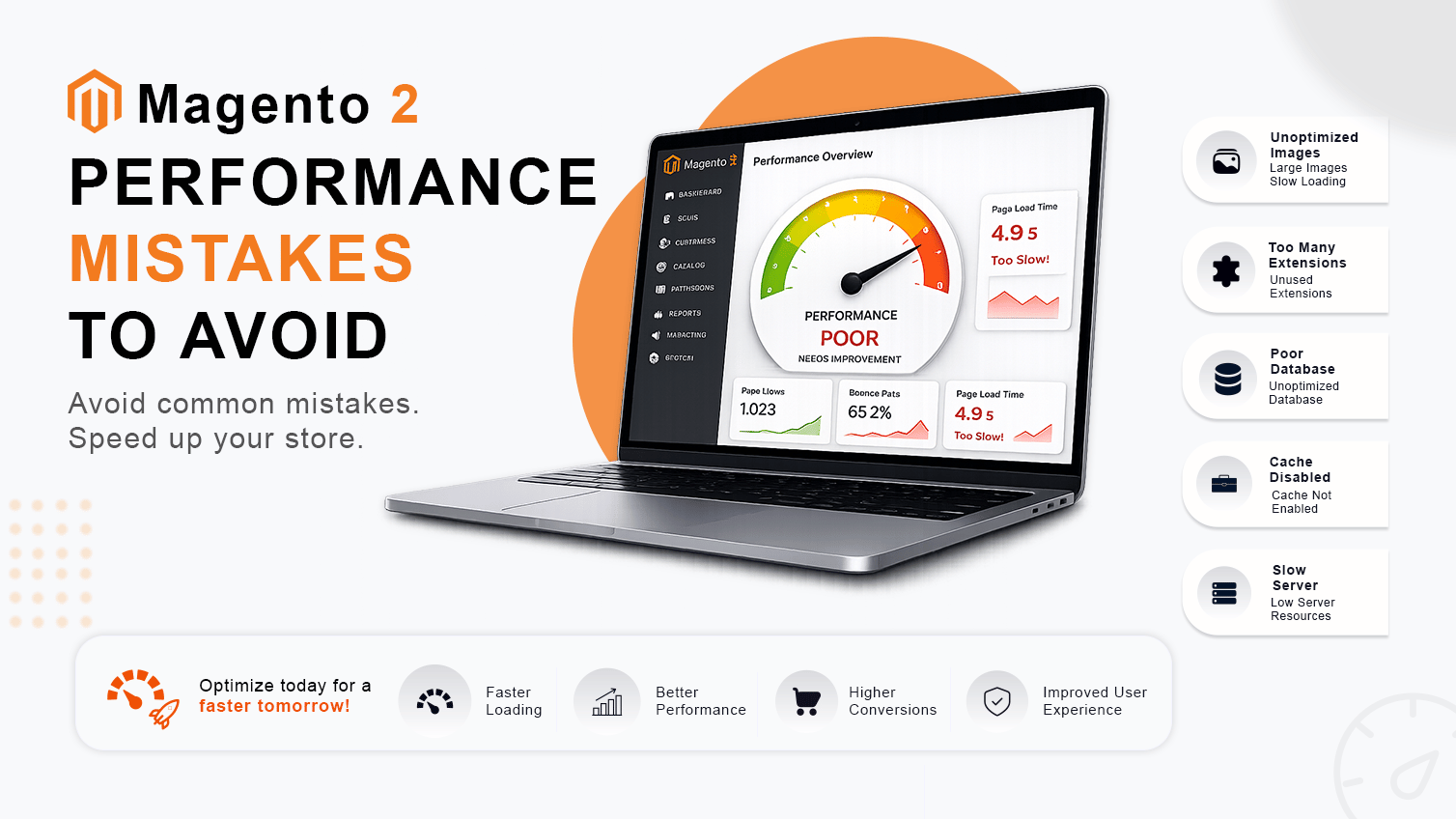
At Ethnic Infotech, we build and debug Adobe Commerce and Magento 2 stores for clients across the UK, Netherlands, Australia, and Singapore. The pattern we see in production is almost always the same: not a single catastrophic mistake, but a stack of smaller ones that compound over time. Heavy third-party extensions. Unoptimised custom blocks. Excessive database queries. Poorly configured caching. Frontend components firing when they don’t need to.
What makes Magento performance debugging genuinely hard is that most bottlenecks hide behind layers of layouts, plugins, observers, APIs, JavaScript components, and dynamic rendering logic. Nothing looks wrong in isolation. Combined, it brings a store to its knees.
This article covers the six mistakes we find most often — and the practical investigation steps that actually surface them.
Why Magento Stores Become Slower Over Time
Magento 2 is one of the most capable eCommerce platforms available. It’s also one of the easiest platforms to accidentally slow down.
The issues that cause degradation over time aren’t usually architectural. They’re operational. Stores accumulate complexity faster than they remove it. Typical culprits include:
- Heavy third-party extensions with global observers
- Unoptimised custom blocks executing on every request
- Excessive database queries from repeated collection loads
- Large catalog growth without corresponding index tuning
- Frontend over-processing from JavaScript loading too early
- Poor caching strategies with low FPC hit rates
- API integrations triggering on high-frequency paths
- Unnecessary JavaScript initialisation on critical pages
Most of these issues stay invisible until merchants start seeing slow category pages, delayed checkout rendering, or rising server resource consumption. By then, two years of decisions have built up and nobody has a clear picture of what’s actually executing on each request.
1. Excessive Database Queries During Page Rendering
A standard Magento 2 category page can fire hundreds of individual database queries per load. Most are necessary. But a significant number aren’t — and those unnecessary ones are the ones that compound at scale.
Here’s what we find most often:
- Product collections loaded multiple times within the same request
- Configuration values fetched inside loops instead of once and cached
- Helper methods that trigger additional queries every time they’re called — even on pages where that data isn’t used
- Expensive custom blocks executed globally, regardless of context
Investigation: Enable Query Logging
Magento has a built-in query log that most developers forget about. Enable it with:
php bin/magento dev:query-log:enableOnce enabled, Magento logs every generated query to:
var/debug/db.logLook for repetition. A query appearing 40 times in a single page load means something is loading a collection inside a loop — or failing to cache a result it should be reusing.
Investigation: Magento Profiler
The built-in profiler shows block rendering times, layout processing, and execution patterns in one output:
bin/magento dev:profiler:enable htmlThe profiler output appears at the bottom of frontend pages and helps pinpoint:
- Heavy block rendering that’s consuming disproportionate time
- Layout processing delays from complex XML configurations
- Repeated execution patterns that signal redundant processing
MySQL: Check Slow Query Logging
Verify whether slow query logging is active on your environment:
SHOW VARIABLES LIKE 'slow_query_log';Check the current threshold — queries above this time get logged:
SHOW VARIABLES LIKE 'long_query_time';Enable slow query logging on staging (never blindly in production) to catch what your profiler might miss. Once you have the logs, the usual suspects are:
- Repeated SELECT queries on the same table within one request
- Large product collection loads without attribute filters
- Missing indexes on frequently joined columns
- Expensive JOIN operations against tables without proper indexing
Optimisation focus: cut duplicate collection loading, avoid loading attributes you don’t use, and stop globally executing expensive operations that only matter in specific contexts.
2. Rendering Non-Critical Features During Initial Load
Promotional banners. Recommendation carousels. Newsletter popups. Recently viewed sections. Customer assistance widgets. Every one of these features has legitimate value. None of them need to render on the critical path of initial page load.
But Magento doesn’t automatically distinguish critical from non-critical. If a recommendation carousel is configured in layout XML, it renders — including for first-time visitors who have no browsing history to power those recommendations anyway.
These features include:
- Promotional banners with backend logic checking active rules
- Recommendation carousels querying purchase and browse history
- Newsletter popups processing customer group conditions
- Recently viewed sections fetching session-based product data
- Optional customer assistance widgets loading third-party scripts
What Magento Processes Behind the Scenes
Even a block that outputs minimal HTML may still:
- Render full backend block logic
- Execute layout XML processing for that block’s dependencies
- Trigger additional database queries for the block’s data
- Add to frontend initialisation time through RequireJS module loading
The frontend rendering cost is visible in the browser. The backend processing cost is not — and it’s the one that usually gets missed in development, where test catalogs are small and sessions are clean.
Investigation Approach
Magento profiler output will show blocks executing during initial page generation even when they’re not immediately visible. Look at block render times in the profiler output and ask which of those blocks are actually needed on the critical path.
Browser Developer Tools helps surface the frontend side:
- Unnecessary JavaScript execution triggered by non-critical components
- Delayed rendering from JS blocking the main thread
- Large asset loading during initial requests that could be deferred
Optimisation focus: defer non-critical block rendering, lazy-load optional UI components via AJAX after the critical path is complete, and reduce unnecessary block execution during initial page load. This isn’t a theme change. It’s a rendering strategy decision — but it requires someone to actually make it.
3. Heavy Third-Party Extensions
Here’s an uncomfortable truth: most Magento extensions are written to do their job, not to do their job efficiently.
That loyalty programme extension installed two years ago probably has an observer on catalog_product_save_after that fires on every product save — including during a bulk import of 5,000 SKUs. That checkout upsell module almost certainly wraps core checkout methods in around-plugins that execute on every single request, not just during checkout.
Common extension-related issues:
- Global observers firing on every request regardless of context
- Around-plugins wrapping critical methods with unnecessary logic
- Extra frontend assets loading on pages where they serve no purpose
- Additional API requests triggered on high-frequency paths
- Complex checkout logic that slows the path from cart to confirmation
Audit Your Enabled Modules
Start with a simple list of what’s actually enabled:
bin/magento module:statusThen look at the generated interceptors in generated/code. Around-plugins on methods like Magento\Catalog\Model\Product::getPrice or anything in the checkout flow execute on nearly every request. Ask whether each one genuinely needs to wrap the core method — or whether an after-plugin would achieve the same result with less overhead.
Developers typically investigate:
- Around plugins on catalog methods that fire during every product display
- Checkout-related observers that add logic to the most time-sensitive path in the store
- Generated interceptors for methods that are called hundreds of times per page
- Excessive AJAX-triggered processing from frontend components
Profiling Tools for Extension Analysis
Four tools worth using:
- Magento Profiler — built-in, no setup, works locally
- Blackfire — on-demand profiling, excellent for tracing plugin overhead
- New Relic — production APM, shows real traffic behaviour
- Xdebug — deep local debugging, never use in production
According to Gartner’s 2023 research on eCommerce platform complexity, the average mid-market Magento store runs 47 active third-party extensions. Around 30% of those are either unused or serve low-frequency use cases that don’t justify always-on execution cost.
Optimisation focus: disable functionality that nobody is actively using, reduce globally executed features to context-specific ones, and remove frontend assets that load on pages where they don’t contribute anything.
4. Caching Layer Misconfiguration
Magento has an excellent caching architecture. Full Page Cache, Redis for object caching, Varnish for CDN-level page delivery. When all three work together correctly, a Magento store handles serious traffic without issue.
But ‘configured correctly’ is doing a lot of work in that sentence.
Common caching problems we find in production:
- Low cache hit ratios from non-cacheable blocks polluting otherwise cacheable pages
- Frequent cache invalidation triggered by logic that doesn’t need to invalidate the cache
- Non-cacheable blocks placed in layout XML positions that disable FPC for the entire page
- Redis session locking creating contention under concurrent AJAX requests
- Incorrect Varnish exclusions bypassing cache for pages that should be cached
Magento Caching Layers
Magento relies on three primary caching layers:
- Full Page Cache (FPC) — caches entire rendered pages for anonymous visitors
- Redis — handles object cache and session storage
- Varnish — optional CDN-level caching that intercepts requests before they reach the application
Check Cache Status
bin/magento cache:statusTo check whether pages are being served from FPC or not, look at the response headers:
- X-Magento-Cache-Debug — tells you whether FPC served the page
- X-Varnish — Varnish request ID, present when Varnish handled the request
- HIT / MISS — directly confirms whether the cache layer served the response
A single block marked cacheable=”false” in layout XML prevents FPC from caching the entire page containing it. One misplaced block silently tanks your FPC hit rate across every page it appears on. This is intentional by design — but it means you need to audit layout XML carefully before deploying custom blocks.
Redis Monitoring
In Redis-backed environments, monitor these areas regularly:
- Session storage performance under concurrent user load
- Cache eviction rates — high eviction means Redis is undersized for your working set
- Memory usage relative to your allocated limit
- Lock contention from concurrent AJAX requests creating session lock queues
Useful Redis checks:
redis-cli info memory redis-cli info statsFocus on keyspace_hits vs keyspace_misses and evicted_keys. High eviction rates usually mean infrastructure sizing, not misconfiguration — but both need addressing.
Optimisation focus: reduce unnecessary cache invalidation, audit layout XML for cacheable=”false” blocks, improve cacheable layout structure, and minimise dynamic rendering where static content can be cached.
5. Frontend Components Executing Too Early
Magento 2’s RequireJS-based module system means a large number of JavaScript modules initialise on page load by default. Most don’t need to.
The result is longer Time to Interactive, slower mobile rendering, layout shifts that are visible to users, and Core Web Vitals penalties that show up in search rankings. According to Google’s 2024 Core Web Vitals report, pages with poor Interaction to Next Paint (INP) scores — often caused by excessive JS execution on initial load — rank measurably lower in mobile search than equivalent pages with optimised interaction performance.
Performance impacts from early frontend execution:
- Increased browser processing during the critical rendering path
- Slower mobile rendering where CPU is constrained
- Delayed interaction responsiveness until JS finishes initialising
- Higher frontend resource usage from modules that aren’t needed immediately
Investigation: Chrome DevTools Performance Tab
Open Chrome DevTools and record a page load. Look for Long Tasks — tasks taking more than 50ms — in the main thread timeline. You’ll often see Magento’s widget system, form validation scripts, and third-party analytics libraries all initialising in a sequential block during the critical load phase.
What to look for:
- Long JavaScript execution tasks blocking the main thread
- Delayed rendering from JS parsing happening before paint
- Layout shifts caused by components changing the page structure after initial paint
- Excessive frontend initialisation from modules loading for pages they don’t serve
The Fix
Defer optional JavaScript initialisation. Lazy-load non-critical UI components — recommendation sliders, live chat widgets, cookie consent managers — after the critical path is complete. The user sees a rendered page faster. The optional components load a fraction of a second later. In most cases, they won’t notice the difference.
Optimisation focus: defer optional JavaScript initialisation, lazy-load non-critical components after the critical path, and reduce unnecessary frontend execution during initial rendering.
6. Ignoring Real Production Profiling
Lighthouse scores. PageSpeed Insights. GTmetrix. These are useful tools for catching obvious problems. But they don’t reflect real customer experience under real traffic on real production data.
A store can score well on synthetic testing while still suffering from backend processing bottlenecks that only appear under concurrent load, database slowdowns that only manifest with a 100,000-row products table, and session lock contention that only triggers when 50 users hit checkout simultaneously.
Important profiling areas that synthetic tools miss:
- Database query analysis under real catalog and session volume
- Backend profiling with production data (not test seeds)
- Server resource monitoring under real traffic patterns
- Production traffic behaviour including peak-hour concurrency
- Frontend execution analysis under real network and device conditions
What Real Production Profiling Reveals
Profiling under real conditions typically surfaces:
- Slow backend processing from observers that behave differently under load
- Heavy AJAX execution patterns that weren’t visible in development
- Delayed rendering under concurrent traffic from lock contention
- Database bottlenecks during peak load that staging never produces
The most useful framing for any Magento performance investigation comes down to three questions:
- What is executing?
- Why is it executing?
- Is it actually necessary for this specific request?
Most performance fixes don’t require architectural changes. They require someone to sit with profiler output, trace expensive operations back to their source, and make an honest judgment about whether that processing is genuinely needed.
Magento 2 performance optimisation is rarely about a single fix. In most real-world stores, slow performance is caused by multiple layers of unnecessary processing that have accumulated over time. Careful profiling, realistic debugging, and reducing unnecessary rendering consistently deliver larger improvements than infrastructure upgrades alone — and they’re far cheaper.
Is Your Magento Store Running Slower Than It Should?
A slow Magento store can hurt your SEO, conversions, and customer experience. Our certified Magento experts identify performance bottlenecks and optimize your store for faster load times, better Core Web Vitals, and higher sales.
How to Diagnose Magento 2 Performance Issues: Step-by-Step
Work through these in order. Don’t skip to step 5 because you have a hunch.
- Enable the Magento profiler — run bin/magento dev:profiler:enable html on a non-cached page and review block render times and query counts.
- Check FPC hit rate — look at the X-Magento-Cache-Debug header. A hit rate below 80% needs investigation before anything else.
- Enable MySQL slow query logging — set threshold to 200ms on staging and run a typical browse session. Look for queries appearing repeatedly or taking unexpectedly long.
- Audit enabled modules — run bin/magento module:status and cross-reference against what’s actually being used. Disable anything that isn’t.
- Review generated interceptors — check generated/code for around-plugins on high-frequency methods. Ask whether each one genuinely needs to wrap, not just after-hook.
- Check Redis health — run redis-cli info stats and focus on keyspace_hits vs keyspace_misses and evicted_keys count.
- Profile a production request — use Blackfire or New Relic to identify real execution bottlenecks under production data, not staging assumptions.
The output of this process is a prioritised fix list based on evidence, not guesswork.
Magento 2 Performance Profiling Tools: Comparison
| Tool | Best For | Free/Paid | Use In Prod? | Difficulty |
|---|---|---|---|---|
| Magento Profiler | Block & layout timing | Free | No (dev only) | Easy |
| MySQL Slow Logs | Slow query analysis | Free | Yes (careful) | Easy |
| Blackfire | Full request profiling | Paid | Yes | Medium |
| New Relic APM | Production traffic analysis | Paid | Yes | Medium |
| Xdebug | Local deep debugging | Free | No | Hard |
| Chrome DevTools | Frontend JS profiling | Free | Yes | Easy |
FAQ
Why is my Magento 2 store so slow?
Magento 2 stores slow down from accumulated inefficiencies across multiple layers — excessive database queries, misconfigured caching, heavy third-party extensions, and unnecessary frontend JS execution. There’s rarely a single cause. Profiling under real production conditions is the only reliable way to identify which layers are contributing most.
How do I fix slow database queries in Magento 2?
Enable Magento’s profiler and MySQL slow query logging to find which queries run repeatedly or too slowly. Common fixes: stop loading collections inside loops, cache configuration values instead of fetching every request, and limit product attribute loading to attributes actually needed on each page.
What is the best caching setup for Magento 2?
Full Page Cache with Varnish for page-level caching, Redis for object and session caching (separate Redis instances for each), and a controlled cache invalidation strategy. Check your FPC hit rate via X-Magento-Cache-Debug and audit layout XML for cacheable=”false” blocks that silently kill FPC.
Do third-party extensions slow down Magento 2?
Yes, significantly. Extensions with global observers, around-plugins on core methods, and frontend assets loading on every page all add real overhead — and the impact compounds. Use Blackfire or New Relic to measure per-extension execution cost, and disable any extension whose overhead is disproportionate to its value.
Ready to Fix Your Magento Store’s Performance?
If your Magento 2 or Adobe Commerce store is slower than it should be, Ethnic Infotech can identify exactly what’s causing it. We work from profiler output and production data – not guesswork — and we’ve done this for stores across the UK, Netherlands, Australia, and Singapore.
We also build headless commerce solutions using GraphCommerce for Magento-backed storefronts when the right path is modernisation rather than just optimisation.
Planning your next product, platform, or growth move?
Ethnic Infotech helps teams shape scalable software, sharper customer experiences, and content systems that support real business growth.