

If you’ve built a Commerce Admin extension before, you already know that feeling. Most of the pain in Adobe Commerce Admin UI SDK v2 work doesn’t come from React, it comes from the handful of platform pieces underneath it: registration, IMS authentication, and the Runtime layer that talks to Commerce on your behalf. Get those three wrong and nothing else matters, no matter how clean the rest of the Admin UI SDK v2 code looks.
This guide walks through Adobe Commerce Admin UI SDK v2 end to end, using the same structure our Adobe Commerce team at Ethnic Infotech uses when we scope this kind of build: what the SDK actually does, how v2 differs from v1, how to configure and secure an extension, and the mistakes that show up again and again in real projects.
The Short Version
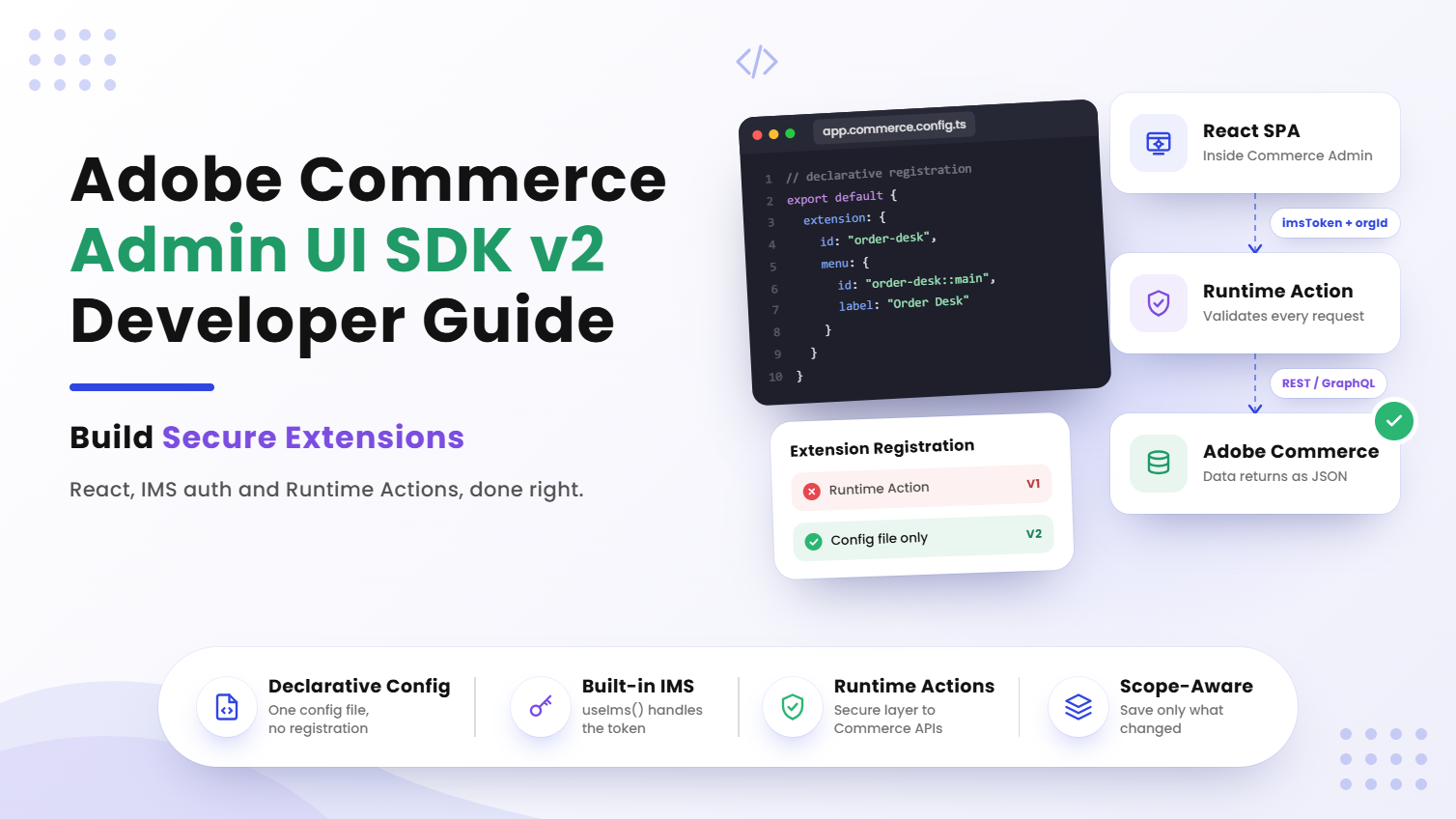
Adobe Commerce Admin UI SDK v2 lets you build a custom React application that loads directly inside the Commerce Admin, appearing next to Dashboard, Catalog, Orders, and Customers like a native page. Configuration happens in app.commerce.config.ts, authentication runs through useIms(), and all privileged Commerce API calls go through an I/O Runtime Action instead of the browser. Get those three pieces right, and the rest is just React.
The Problem With Building Inside Someone Else’s Admin
Here’s the thing nobody tells you upfront: building “inside” Adobe Commerce isn’t like building a standalone app. Your React SPA doesn’t run in isolation. It runs inside the Experience Cloud Shell, inheriting an authentication context it didn’t create, next to a menu system it doesn’t fully control.
Developers coming from standalone React or even standard Magento module development tend to search for things like “how to add a custom page in Commerce Admin” or “Adobe Commerce extension registration not working.” What they usually hit first is fragmented v1 documentation, mixed with newer v2 patterns, and no clear line between the two. That gap is exactly where extension IDs get mismatched, IMS tokens get fetched manually, and menus appear with pages that never load.
What Is Admin UI SDK v2?
Admin UI SDK v2 provides the tools required to integrate a custom application into the Commerce Admin. From an administrator’s point of view, the extension just behaves like a normal Commerce Admin page, sitting alongside the built-in sections:
Adobe Commerce Admin│├── Dashboard├── Catalog├── Orders├── Customers└── My Extension Under the hood, the architecture looks like this:
Commerce Admin│▼React SPA│▼I/O Runtime Action│▼Adobe Commerce That middle layer matters more than it looks. The browser should never call privileged Commerce APIs directly the Runtime Action is the secure backend layer that sits between your React app and Commerce itself.
The extension leans on a specific set of building blocks:
- commerce/backend-ui/2
- @adobe/aio-commerce-lib-admin-ui
- createExtensionApp()
- useIms()
When an administrator opens the extension, this is roughly what happens:
- Commerce Admin loads the application.
- The React SPA runs inside the Admin environment.
- Experience Cloud Shell provides the IMS context.
- useIms() provides the authentication information.
- The React application calls an I/O Runtime Action.
- Runtime validates the request.
- Runtime calls Commerce REST or GraphQL APIs.
- The response returns to React.
Eight steps, and every one of them is a place things can quietly break if you skip the platform’s intended pattern.
Why Admin UI SDK v2 Existed in the First Place: V1 vs V2
The biggest change from Admin UI SDK v1 to v2 is how extensions get registered. In v1, registration was imperative you deployed a Runtime Action just to tell Commerce your extension existed. In v2, registration is declarative, handled through a config file instead.
| Area | V1 | V2 |
|---|---|---|
| Extension point | commerce/backend-ui/1 | commerce/backend-ui/2 |
| Registration | Runtime Action | app.commerce.config.ts |
| IMS authentication | More manual | useIms() |
| Boilerplate | Higher | Lower |
| Approach | Imperative | Declarative |
V1 flow:
Deploy App↓Registration Action↓Commerce Registration API↓Menu Appears V2 flow:
app.commerce.config.ts↓App Management↓Commerce Admin↓Menu Appears Important: in v2, you don’t need a separate Runtime Action just to register the extension. That one change removes an entire category of deployment bugs the ones where the app builds fine, but the menu never shows up because a registration action silently failed.
Configuring the Extension
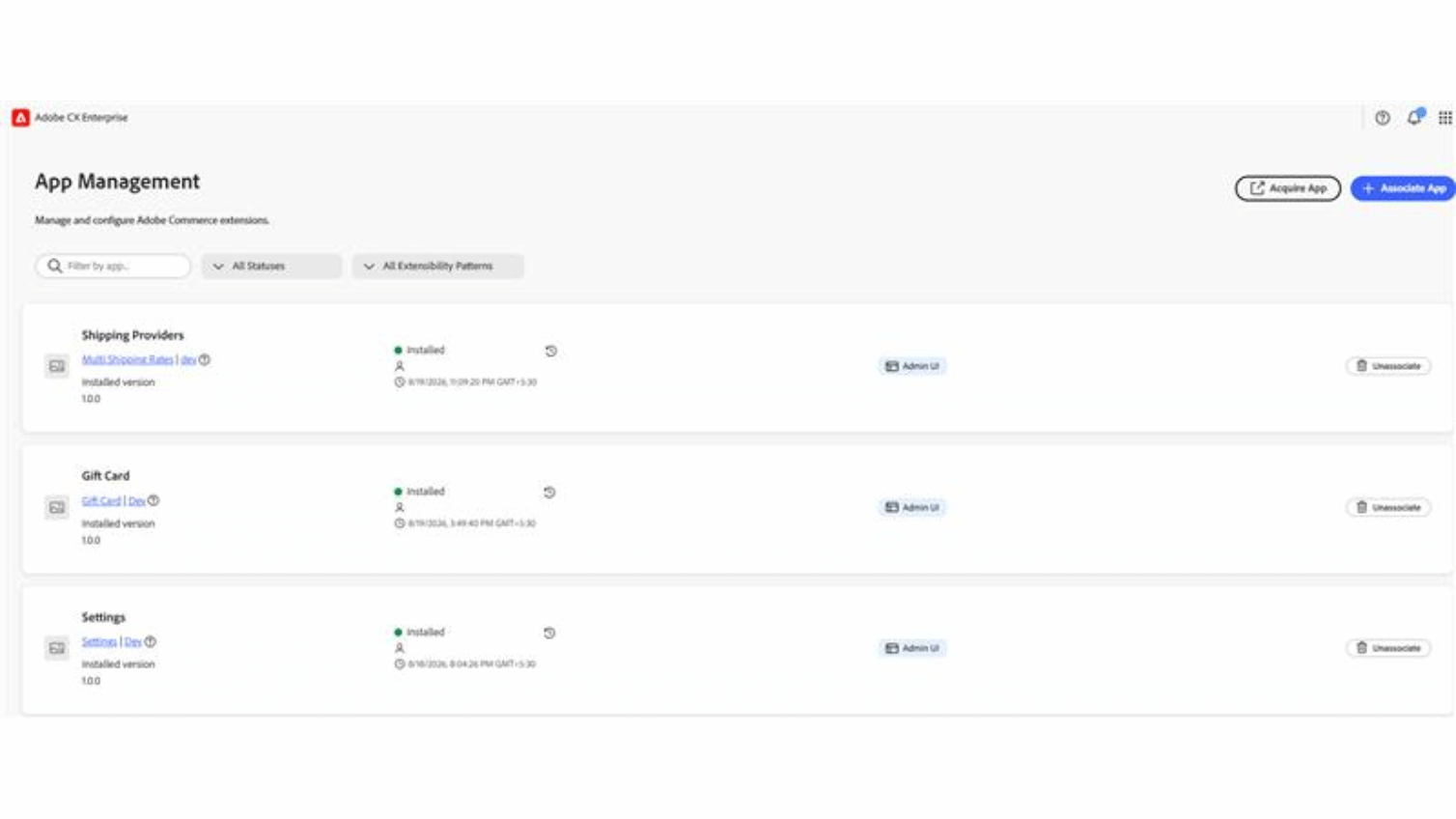
The main configuration file for any Admin UI SDK v2 extension is app.commerce.config.ts. This file describes your Commerce Admin extension, including:
- Extension ID
- Name
- Description
- Version
- Menu label
- Page title
- Menu ID
- Page or URL configuration
Extension ID
The extension ID is especially important, and it’s the single most common source of “why won’t this load” tickets. The ID defined in app.commerce.config.ts must match the ID passed to createExtensionApp(). If the IDs don’t match, the menu may still appear, but the application can fail to load correctly which is a genuinely confusing failure mode the first time you hit it, because everything looks configured right.
Menu ID
Use the following pattern:
{extensionId}::{page} The menu ID should also be unique within the organization. Two extensions sharing a menu ID is a quiet way to lose an afternoon.
Starting the React Application
The React application connects to Commerce Admin using createExtensionApp():
createExtensionApp({extensionId,App: MainPage}); The SDK handles most of the platform integration for you, including:
- Experience Cloud Shell
- Shared context
- IMS context
- React Spectrum
- Routing
That lets the developer focus mainly on the application’s actual business functionality rather than plumbing. Conceptually:
createExtensionApp()│├── Shell Integration├── Shared Context├── IMS Context├── Spectrum└── Routing│▼React App IMS Authentication in Commerce Admin Extension Development
One of the most important features of Admin UI SDK v2 is the built-in IMS context, accessed through useIms(). Commerce Admin and Experience Cloud Shell provide the authentication context for you:
Commerce Admin↓Experience Cloud Shell↓useIms()↓imsToken + imsOrgId You should not manually obtain the IMS token inside your React application. And you should avoid storing the token in localStorage or building your own token refresh mechanism the SDK already handles this, and reinventing it usually introduces the exact security gaps this pattern was built to close.
Handle Loading and Error States
The IMS context may not be available during the first render, so a typical implementation looks like this:
const { data, loading, error } = useIms();if (loading) {return <Loading />;}if (error || !data?.imsToken) {return <AuthenticationError />;}return <FeaturePage />; This prevents API calls from firing with an undefined token, which is one of the more common early-integration bugs.
Secure Communication With Commerce
The React application should never call privileged Commerce APIs directly. Instead, every request routes through the I/O Runtime Action:
React SPA││ IMS Token + Request Data▼I/O Runtime Action││ Validate Token▼Adobe Commerce││ REST / GraphQL▼I/O Runtime Action│▼React SPA A request typically carries authentication information such as:
Authorization: Bearer <imsToken>x-gw-ims-org-id: <imsOrgId> The Runtime Action itself should:
- Receive the request.
- Validate the IMS token.
- Reject unauthorized requests.
- Call the Commerce API.
- Return the response to React.
That creates a clear security boundary:
Browser↓Runtime↓Commerce Never put privileged Commerce credentials or secrets in frontend code. It’s an obvious rule until a deadline gets tight and someone hardcodes an API key “just for now.”
The Complete Authentication Flow
Pulling everything together, the full flow for an Admin UI SDK v2 extension looks like this:
- User clicks extension.
- Commerce Admin opens application.
- Experience Cloud Shell provides IMS context.
- createExtensionApp() initializes the app.
- useIms() provides authentication data.
- React calls the Runtime Action.
- Runtime validates the IMS token.
- Runtime calls Commerce REST/GraphQL.
- Commerce returns data.
- Runtime returns JSON.
- React updates the UI.
As a developer, you’re mainly responsible for four of those eleven steps: handling useIms() loading and error states, passing authentication data to Runtime correctly, validating the token inside Runtime, and managing the Commerce API communication itself. The SDK covers the rest.
Scope-Aware Configuration
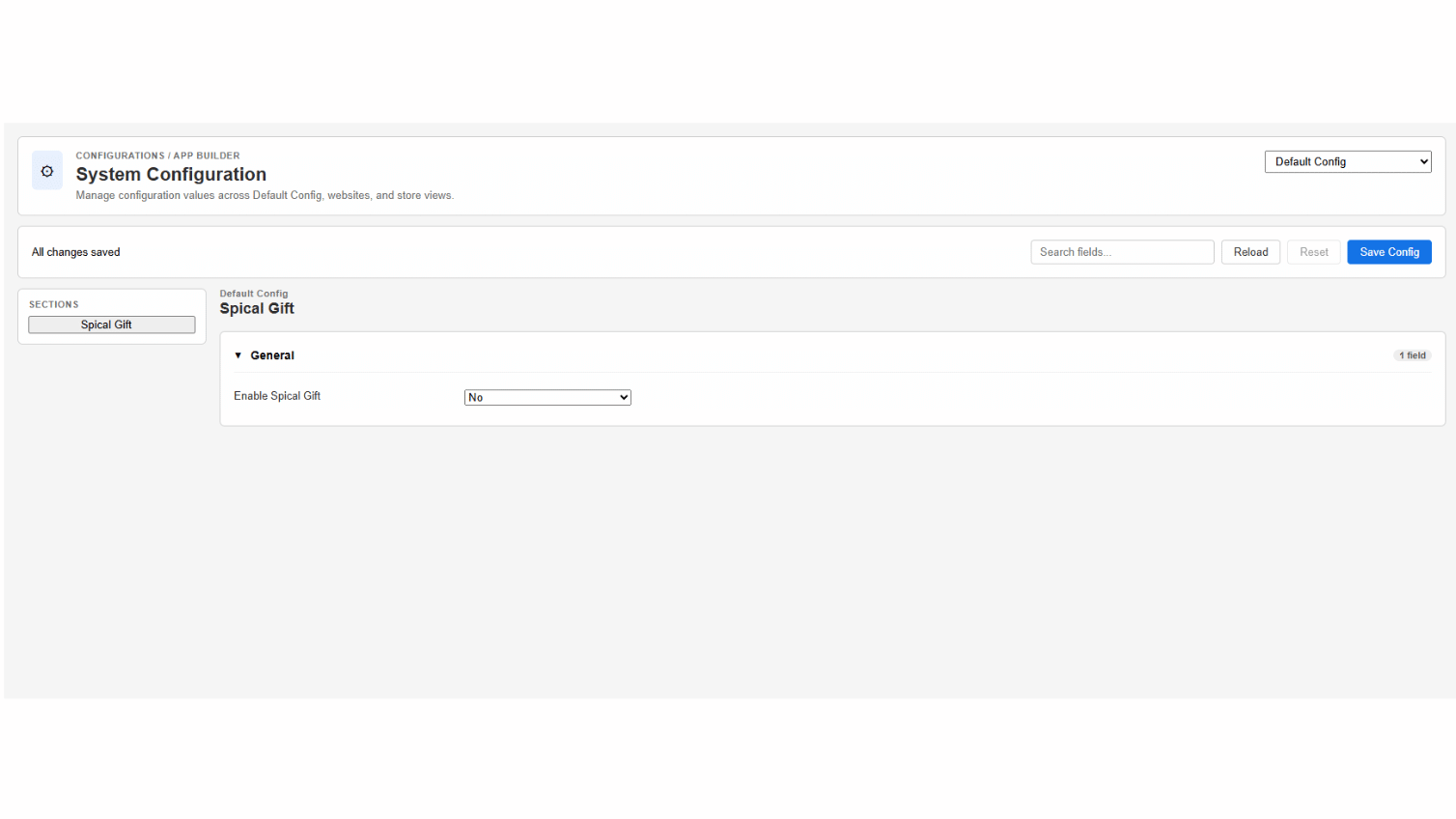
If your extension touches Commerce configuration, you’ll likely need to support the standard Commerce scope hierarchy:
Default│├── Website A│ ├── Store View EN│ └── Store View DE│└── Website B└── Store View FR A child scope can either hold its own value or inherit the parent’s. For example:
Default└── API URL = https://api.example.comWebsite A└── API URL = inheritedStore View EN└── API URL = https://custom.example.com When you’re implementing this kind of functionality, three habits matter more than the rest.
Reload when the scope changes
When the administrator selects a different scope, reload the configuration for that scope. Stale scope data is a quiet, hard-to-diagnose bug.
Track inheritance separately
Keep these two states apart rather than collapsing them into one field:
- value
- useDefault
Why the split matters
If you flatten value and useDefault into a single field, you lose the ability to tell “this store view intentionally overrides the default” from “this store view just happens to match it right now.” That distinction is exactly what the next rule depends on.
Save only changes
Don’t send every configuration field on every save. Instead, save:
- Changed fields
- Fields switched back to “Use Default”
This prevents accidental overrides at child scopes one of the more expensive mistakes to unwind after it’s already shipped to production, because it silently pins values that were supposed to inherit.
Common Mistakes in Adobe Commerce Admin UI SDK v2 Builds
Most of these show up in code review, not in the SDK docs. Here’s what we run into most often.
Extension ID mismatch
Problem: the menu appears, but the page fails to load. Solution: make sure the ID in app.commerce.config.ts matches createExtensionApp().
Manually fetching IMS tokens
Problem: the application receives 401 Unauthorized or uses an invalid token. Solution: use useIms().
Ignoring the IMS loading state
Problem: the first API call uses an undefined token. Solution: wait until useIms() has completed.
Hardcoding scope IDs
Avoid:
scopeId = "1"; Use the scope actually selected by the administrator instead.
Saving every configuration field
Only save fields that changed or were explicitly switched back to “Use Default.”
Using the v1 registration approach
Don’t create a Runtime Action just for registration. For v2, the path is simply:
app.commerce.config.ts↓App Management↓Commerce Admin What This Looks Like on a Real Build
Honestly, the extension ID mismatch is the one that gets almost every team at least once. On an Adobe Commerce project our team scoped in early 2026, a client wanted an internal Admin UI SDK v2 extension for order-exception handling nothing exotic, just a page that flagged orders stuck between payment capture and fulfillment. The menu item rendered correctly on the first deploy. The page itself sat on a blank spinner.
Took about twenty minutes of stepping through the eleven-step flow above to realize the ID in app.commerce.config.ts had a trailing environment suffix that createExtensionApp() didn’t have. Small thing. Cost real time anyway. After that, we started treating extension ID verification as step one of every deployment checklist, not step eight.
The second recurring issue was scope handling, specifically teams collapsing value and useDefault into one field early on to save time. It works fine in a demo. It breaks the moment a merchant expects a store view to inherit a default value it was never supposed to override.
Deployment Checklist
Before running aio app deploy, check the following:
- Extension ID matches in all configurations.
- app.commerce.config.ts is correctly configured.
- Menu ID follows {extensionId}::{page}.
- Menu ID is unique.
- ext.config.yaml has a valid pre-app-build hook.
- Frontend builds successfully.
- Required environment variables are configured.
- Runtime Actions validate IMS authentication.
- No secrets are hardcoded in frontend code.
- Scope configuration handles inheritance correctly.
Is Admin UI SDK v2 Worth the Switch?
If you’re maintaining a v1 extension that already works, there’s no fire drill here v1 extensions don’t stop functioning overnight. But for any new Commerce Admin extension development, v2 is the clear starting point. Less registration boilerplate, a built-in IMS context instead of a manual auth dance, and one less Runtime Action to deploy and monitor. For teams weighing an Adobe Commerce build against continuing to patch an older Magento setup, this is one of several signals that the platform’s tooling keeps maturing in the developer’s favor.
Final Takeaway
Admin UI SDK v2 simplifies Commerce Admin extension development by moving registration and authentication into the platform and SDK, rather than leaving developers to hand-roll both. Four concepts carry almost the entire architecture:
| Concept | What to Use |
|---|---|
| Configuration | app.commerce.config.ts |
| Application Bootstrap | createExtensionApp() |
| Authentication | useIms() |
| Backend Communication | React → Runtime → Commerce |
For configuration pages specifically, keep this sequence in mind:
Load by Scope↓Track Inheritance↓Track Changes↓Save Only Changes In one sentence: Admin UI SDK v2 lets you build a React application that feels native inside Adobe Commerce Admin, while App Management handles registration, Experience Cloud Shell provides IMS context, and I/O Runtime provides the secure connection to Commerce APIs.
Frequently Asked Questions
What is Adobe Commerce Admin UI SDK v2?
It’s Adobe’s toolkit for embedding a custom React application directly inside the Commerce Admin, so it appears as a native page alongside Dashboard, Catalog, and Orders. Configuration lives in app.commerce.config.ts, and authentication runs through useIms().
How is Admin UI SDK v2 different from v1?
Registration changed from imperative to declarative. V1 needed a Runtime Action just to register the extension with Commerce; v2 handles that through app.commerce.config.ts and App Management, with less boilerplate overall.
How do I register an extension with Admin UI SDK v2?
You don’t deploy a separate Runtime Action for registration anymore. Define the extension ID, menu ID, and page configuration in app.commerce.config.ts, and App Management takes care of surfacing it in Commerce Admin.
How does useIms() authentication work in Adobe Commerce?
Commerce Admin and Experience Cloud Shell supply an authentication context that useIms() reads, returning an imsToken and imsOrgId. You should never fetch the IMS token manually or store it in localStorage the hook already manages loading and error states for you.
Is Admin UI SDK v2 worth switching to from v1?
For new builds, yes less registration overhead and a simpler auth pattern. Existing v1 extensions keep working, so there’s rarely a reason to force a mid-project migration just for the sake of it.
Why does my extension’s menu appear but the page won’t load?
Nine times out of ten, it’s an extension ID mismatch between app.commerce.config.ts and createExtensionApp(). Double-check both values match exactly, including any environment suffixes.
Can a beginner build a Commerce Admin extension with Admin UI SDK v2?
If you’re comfortable with React and have a basic grasp of REST or GraphQL, yes. The SDK abstracts most of the hard platform integration Shell context, IMS, routing so the learning curve is really about understanding the authentication flow and Runtime pattern, not React itself.
Do I still need a Runtime Action for a simple Admin UI SDK v2 extension?
You don’t need one for registration anymore, but you still need at least one Runtime Action for secure backend communication. The browser should never call privileged Commerce APIs directly, so any extension that reads or writes Commerce data still routes through Runtime.
Adobe Commerce
Admin UI SDK v2 lets you build a custom React application that loads directly inside the Commerce Admin, appearing next to Dashboard, Catalog, Orders, and Customers like a native page.
Planning your next product, platform, or growth move?
Ethnic Infotech helps teams shape scalable software, sharper customer experiences, and content systems that support real business growth.